Getting Started
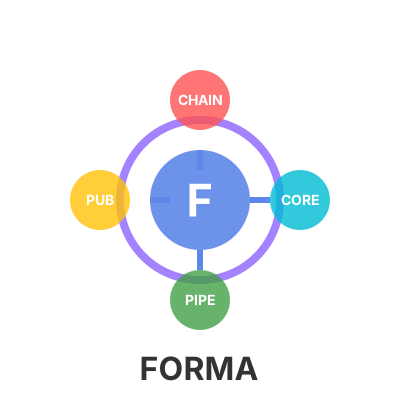
Forma is a lightweight and modular .NET library that provides abstractions and infrastructure for implementing common behavioral design patterns such as Mediator, Decorator, Chain of Responsibility, and Publish-Subscribe.
Prerequisites
- .NET 9.0 SDK or higher
- Any .NET-compatible IDE (Visual Studio 2022+, Rider, VS Code)
Installation
Forma is published to NuGet.org. Install only the packages you need:
Core packages (usually installed together)
bash
dotnet add package Forma.Core
dotnet add package Forma.Mediator
dotnet add package Forma.Decorator
Additional components
bash
dotnet add package Forma.Chains
dotnet add package Forma.PubSub.InMemory
Package Manager Console (Visual Studio)
powershell
Install-Package Forma.Core
Install-Package Forma.Mediator
Install-Package Forma.Decorator
Install-Package Forma.Chains
Install-Package Forma.PubSub.InMemory
Quick Start — Mediator
The Mediator pattern decouples request senders from their handlers.
1. Install the package
bash
dotnet add package Forma.Mediator2. Define a request and handler
csharp
using Forma.Core.Abstractions;
using Forma.Abstractions;

// A command (no return value)
public record CreateUserCommand(string Name, string Email) : IRequest;

// A query (returns a value)
public record GetUserQuery(int UserId) : IRequest<UserDto>;
public record UserDto(int Id, string Name, string Email);

// Handler for the command
public class CreateUserCommandHandler : IHandler<CreateUserCommand>
{
    public Task HandleAsync(CreateUserCommand request, CancellationToken ct = default)
    {
        Console.WriteLine($"Creating user: {request.Name} ({request.Email})");
        return Task.CompletedTask;
    }
}

// Handler for the query
public class GetUserQueryHandler : IHandler<GetUserQuery, UserDto>
{
    public Task<UserDto> HandleAsync(GetUserQuery request, CancellationToken ct = default)
    {
        var user = new UserDto(request.UserId, "John Doe", "john@example.com");
        return Task.FromResult(user);
    }
}
3. Register with Dependency Injection
csharp
using Forma.Mediator.Extensions;
using Microsoft.Extensions.DependencyInjection;

var services = new ServiceCollection();

services.AddRequestMediator(config =>
{
    // Auto-register all handlers from the assembly
    config.RegisterServicesFromAssemblies(typeof(Program).Assembly);
});

var provider = services.BuildServiceProvider();
4. Send requests
csharp
var mediator = provider.GetRequiredService<IRequestMediator>();

// Send a command (no response)
await mediator.SendAsync(new CreateUserCommand("Alice", "alice@example.com"));

// Send a query (with response)
var user = await mediator.SendAsync(new GetUserQuery(42));
Console.WriteLine($"Got user: {user.Name}");
Quick Start — Decorator
The Decorator pattern adds cross-cutting concerns to services without modifying them.
csharp
using Forma.Decorator.Extensions;
using Microsoft.Extensions.DependencyInjection;

var services = new ServiceCollection();

// Register the base service
services.AddTransient<IOrderService, OrderService>();

// Add decorators — outermost first
services.Decorate<IOrderService, LoggingOrderDecorator>();
services.Decorate<IOrderService, ValidationOrderDecorator>();
services.Decorate<IOrderService, CachingOrderDecorator>();

var provider = services.BuildServiceProvider();

// The resolved IOrderService is automatically wrapped:
// CachingOrderDecorator → ValidationOrderDecorator → LoggingOrderDecorator → OrderService
var orderService = provider.GetRequiredService<IOrderService>();
Quick Start — Chains
The Chain of Responsibility pattern routes a request through a sequence of handlers.
csharp
using Forma.Chains.Extensions;
using Microsoft.Extensions.DependencyInjection;

var services = new ServiceCollection();

// Register a chain with ordered handlers
services.AddChain<PaymentRequest>(
    typeof(ValidationHandler),
    typeof(FraudDetectionHandler),
    typeof(PaymentProcessingHandler),
    typeof(NotificationHandler));

var provider = services.BuildServiceProvider();

var chain = provider.GetRequiredService<IChainInvoker<PaymentRequest>>();
await chain.HandleAsync(new PaymentRequest { Amount = 99.99m });
Benchmarks
Forma consistently outperforms MediatR in performance benchmarks:
| Method | Category | Mean | vs MediatR |
|---|---|---|---|
| Forma_RequestWithResponse | RequestWithResponse | 334.8 ns | ~32 % faster |
| MediatR_RequestWithResponse | RequestWithResponse | 492.4 ns | baseline |
| Forma_SendAsync_object | SendAsObject | 335.7 ns | ~26 % faster |
| MediatR_Send_object | SendAsObject | 452.4 ns | baseline |
| Forma_SimpleRequest | SimpleRequest | 283.0 ns | ~31 % faster |
| MediatR_SimpleRequest | SimpleRequest | 412.1 ns | baseline |
Benchmarks measured with BenchmarkDotNet on .NET 9.
NuGet Package Versions
| Package | Latest |
|---|---|
Forma.Core |  |
Forma.Mediator |  |
Forma.Decorator |  |
Forma.Chains |  |
Forma.PubSub.InMemory |  |
Next Steps
- Forma.Core — Understand the core abstractions
- Forma.Mediator — Explore CQRS with pipeline behaviors
- Forma.Decorator — Add cross-cutting concerns to services
- Forma.Chains — Build sequential processing pipelines
- Forma.PubSub.InMemory — Event-driven in-memory messaging
- Console App Guide — Full integration example for console applications
- Web API Guide — Full integration example for ASP.NET Core